
Logo Avensys
Avensys
ERP
Logo Miralia + Avensys

Overview

Transform the management of your expert case files by automating data analysis. Our Avensys integration automatically populates your expert case management system by extracting relevant information from your incoming messages and attachments.

Actions

Logo Avensys
Filter emails to be added
Logo Avensys
Search for a case file using multiple methods
Logo Avensys
Identify a case file using its various references
Logo Avensys
Update a case file
Logo Avensys
Create a case file
Logo Avensys
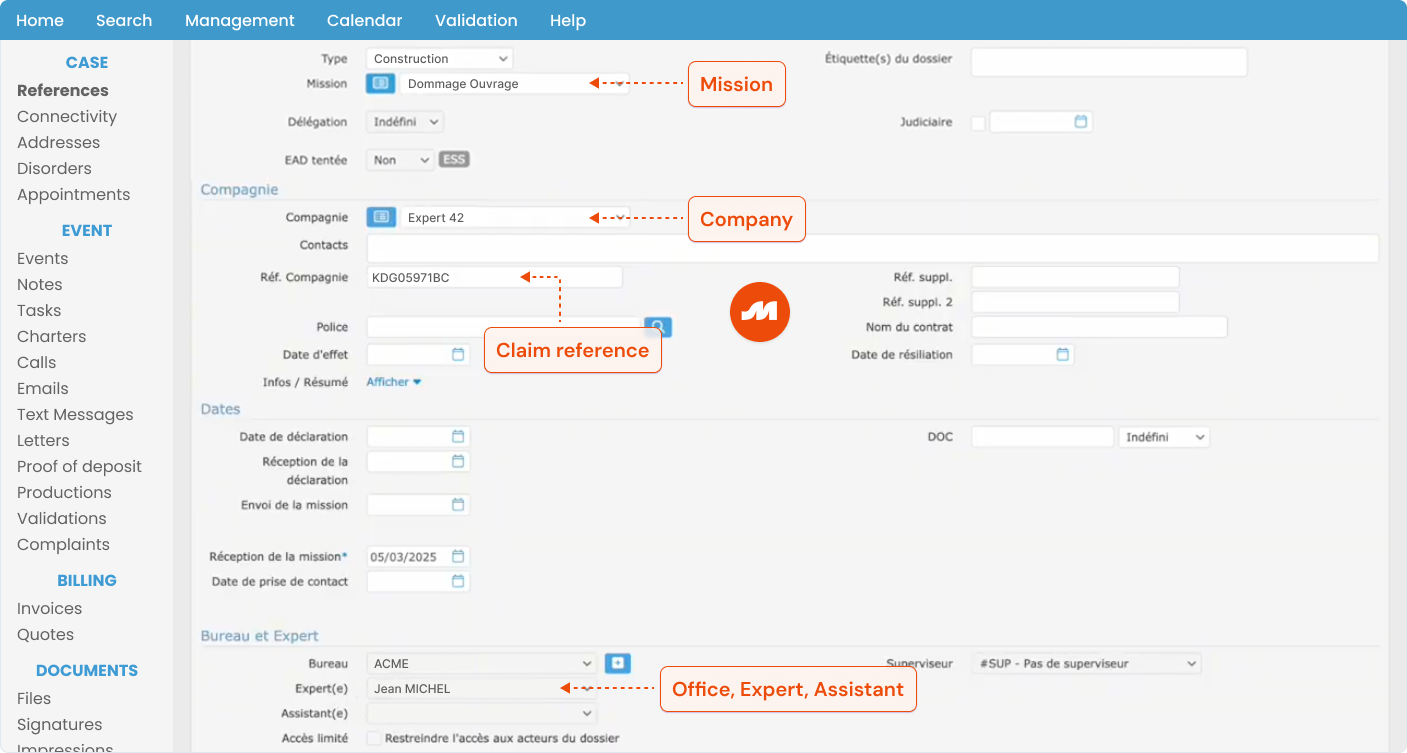
Add extracted information to the case file
Logo Avensys
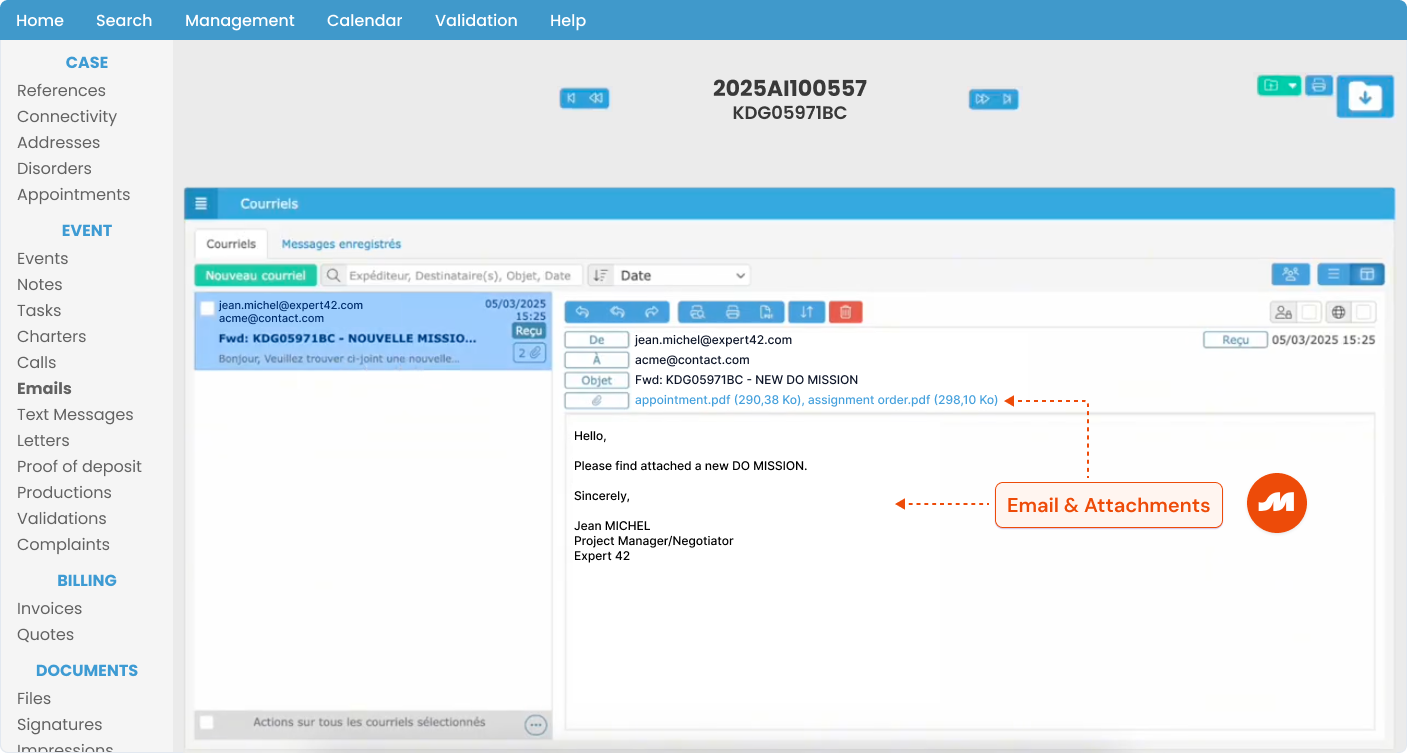
Add the email and its attachments to the Emails
Logo Avensys
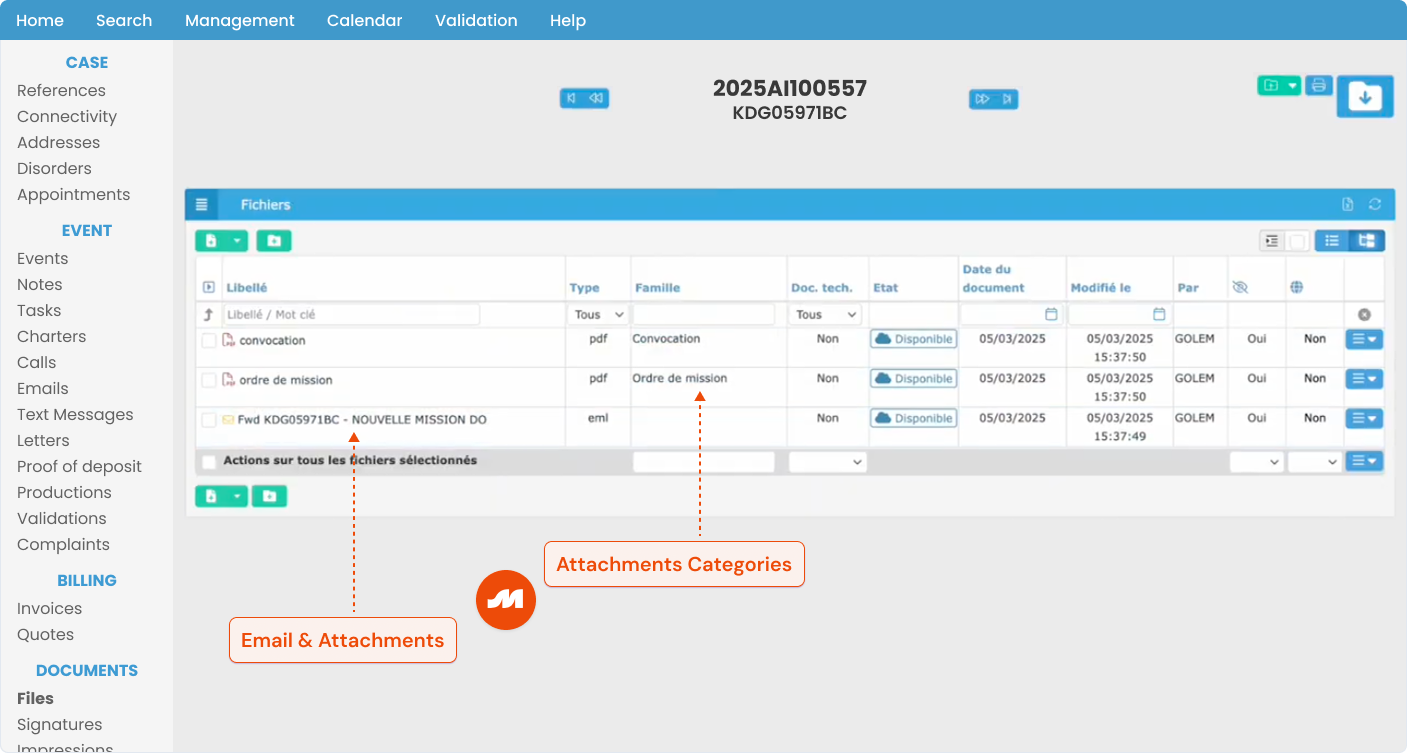
Add the email and its attachments to the Files
Logo Avensys
Filter attachments to be added
Logo Avensys
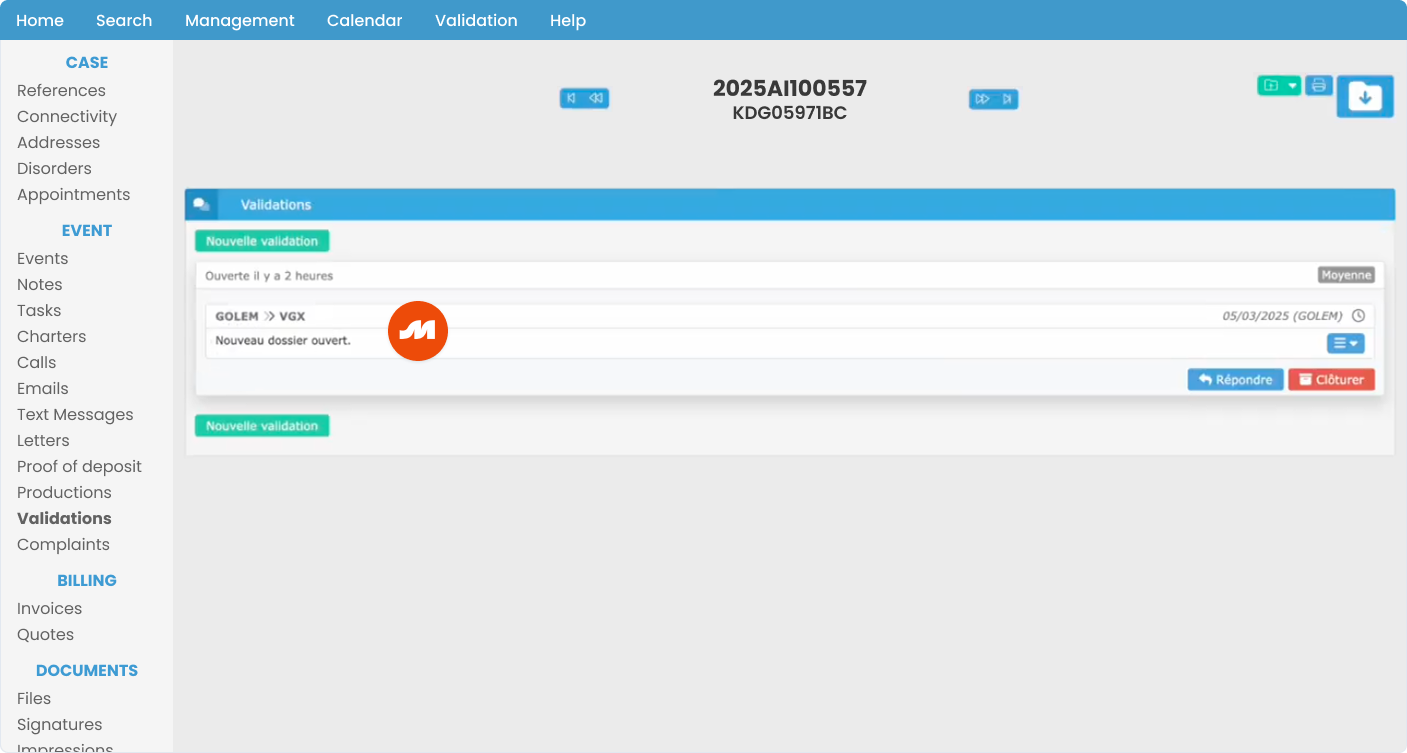
Send a validation to case stakeholders
How it works

  1. The connection between Miralia and your Avensys account is handled via API
  2. Miralia analyzes incoming messages and attachments, categorizes them, and extracts the relevant information you need (messages may come from Exchange, Gmail, or any other email provider)
  3. The analysis results and extracted information are used to create or update the correct case file in Avensys
  4. Miralia can also send validations directly to case stakeholders via Avensys. These fully customizable validations may include, for example, links to attachments or extracted information for quick review...
  5. Finally, Miralia can label emails directly in your email provider (Exchange or Gmail)
Avensys Integration
Miralia adds extracted information from messages and attachments to the appropriate case file in Avensys
Avensys Integration
Miralia adds the email and its attachments to the Emails tab
Avensys Integration
Miralia adds the categorized email and its attachments to the Files tab
Avensys Integration
Miralia can also send validations to case stakeholders directly via Avensys

Bring meaning and control
over your customer relationship

Try our explainable, efficient, and reliable AI today.